Your sales executive's daily report lists eight client visits. Over the next week, three of those clients tell your area manager that nobody from your company came. The executive insists he went. You have his report, his WhatsApp “reached” messages, and nothing else.
To track a salesman's location, use a salesman tracking app on his phone that records location only during working hours, shows it on a live map, and builds a route history for each day. To verify client visits, require check-ins that are stamped with GPS location and time, ideally inside a geofence around the client's address, with a photo, and compare the visit list with the day's route. Fake-GPS detection stops the most common workaround.
Why Daily Reports and WhatsApp Pins Don't Work
Most sales teams in India run on self-reporting: a daily call report, a WhatsApp location pin on arrival, and a conveyance sheet at month end. Every one of those is created by the person you're trying to verify.
The gaps
- 1A call report lists visits but proves none of them.
- 2A WhatsApp location pin can be sent from anywhere, and forwarded from earlier.
- 3A photo of a shop board can be taken once and reused.
- 4A phone call to the client can be logged as a visit.
- 5None of it shows how long the salesman stayed, or where he went in between.
So the problem isn't dishonest people. It's a system with no independent record.
What to Track (and What Not To)
You don't need to watch every move. You need enough to answer three questions: did the working day really start and end when reported, were the visits real, and was the travel real?
The useful set
- 1Attendance: a punch-in with location and a face check, so the day's start is real.
- 2Live location during working hours, for the manager's map.
- 3Route history: the path, stops and distance for each day.
- 4Visit check-ins: client or outlet, time, location and a photo.
- 5Punch-out: when tracking stops and the day's record is closed.
What not to track: anything outside working hours. Tracking after punch-out or on weekly offs is the fastest way to lose your team's trust, and under India's DPDP Act you should collect only what you need for a clear purpose.
How to Verify a Client Visit
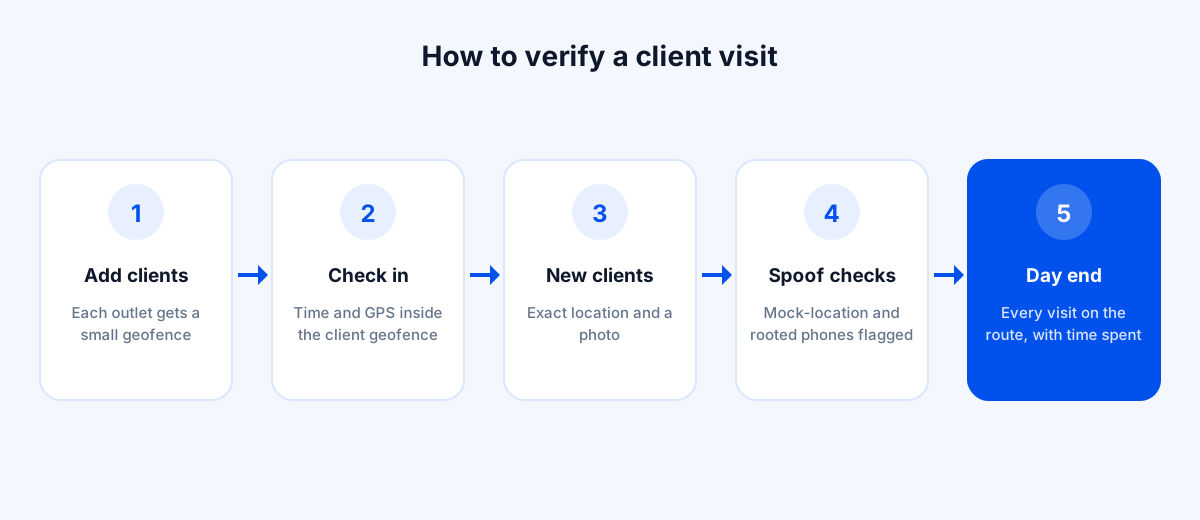
A visit is verified when the proof comes from the location, not the salesman.
Step by step
- 1Add your regular clients and outlets as locations with a small geofence around each.
- 2When the salesman arrives, he checks in from the app. The check-in records time and GPS position, and confirms he's inside the client's geofence.
- 3For new or one-time clients, the check-in records the exact location and a photo instead.
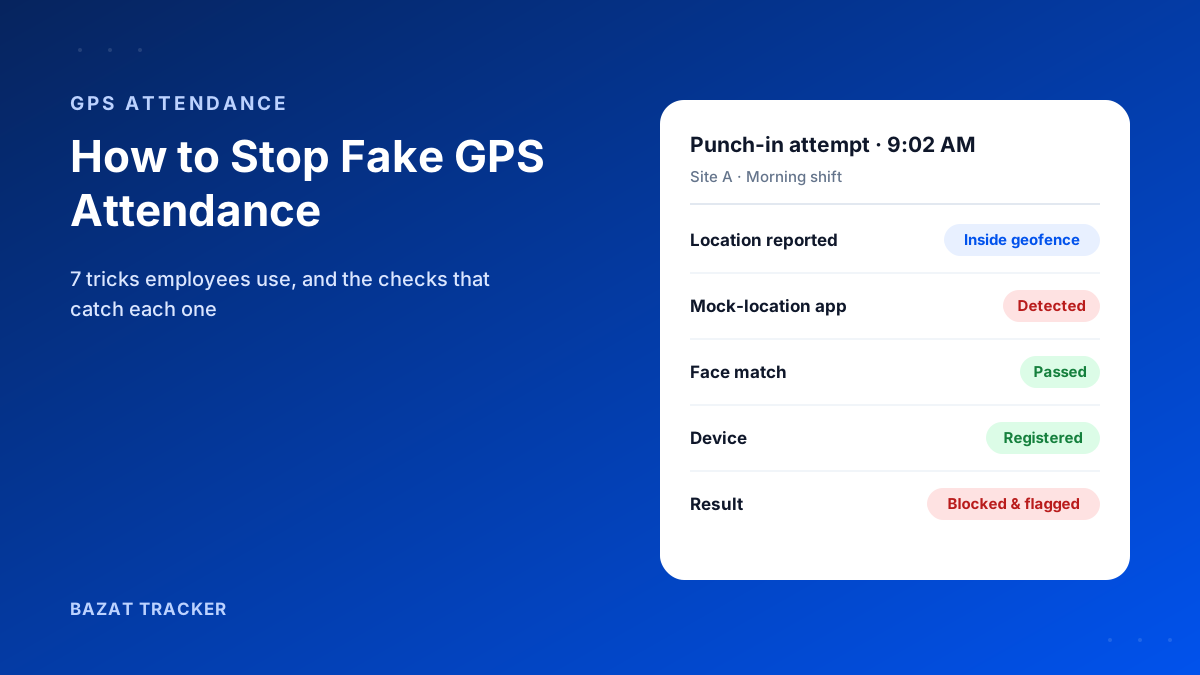
- 4The app flags check-ins made with mock-location apps or from rooted phones.
- 5At day end, the manager sees each visit on the route, with time spent at each stop.
A visit that appears in the report but not on the route, or a check-in with a two-minute stay at a client who says nobody came, now becomes a specific question instead of a vague suspicion.
What a Verified Sales Day Looks Like
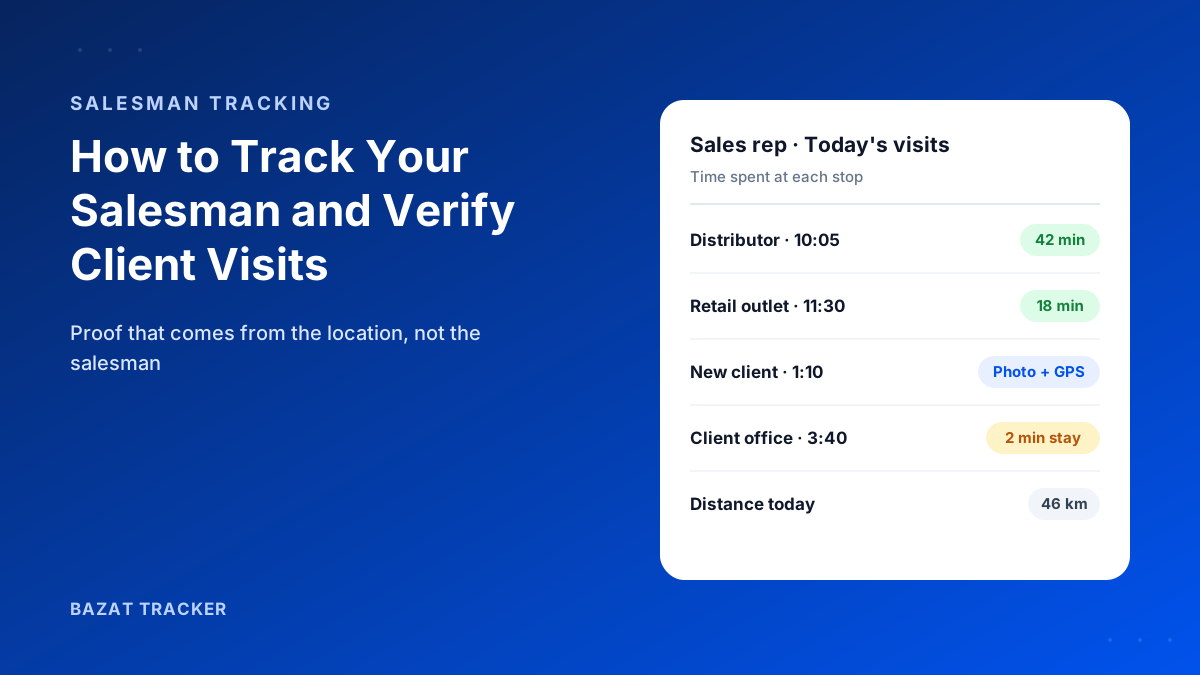
Here's an illustrative day for one sales executive, as the manager sees it.
One day, from the route history
- 19:20 AM: punch-in with a face check at the branch office geofence.
- 210:05 to 10:47 AM: distributor visit, checked in inside the distributor's geofence.
- 311:30 to 11:48 AM: retail outlet visit, with a photo of the display.
- 41:10 PM: new prospect. No geofence yet, so the check-in records the exact location and a photo, and the address is saved for next time.
- 53:40 PM: a two-minute check-in at a client office. Short enough to ask about tomorrow.
- 66:35 PM: punch-out, with 46 km travelled. The conveyance claim is checked against that figure.
No call report was typed, and nobody had to ask “where are you?” all day. The one question worth asking, about the two-minute visit, is obvious from the record.
Self-Reported Visits vs. Verified Visits
| Manual Process | Bazat Tracker | |
|---|---|---|
| Proof of the visit | Manual ProcessCall report entry or a WhatsApp pin | Bazat TrackerCheck-in with GPS, time and photo, inside the client geofence |
| Time spent with the client | Manual ProcessUnknown | Bazat TrackerArrival and departure on the route history |
| Fake location | Manual ProcessEasy with a mock-location app | Bazat TrackerMock-location apps and rooted phones detected |
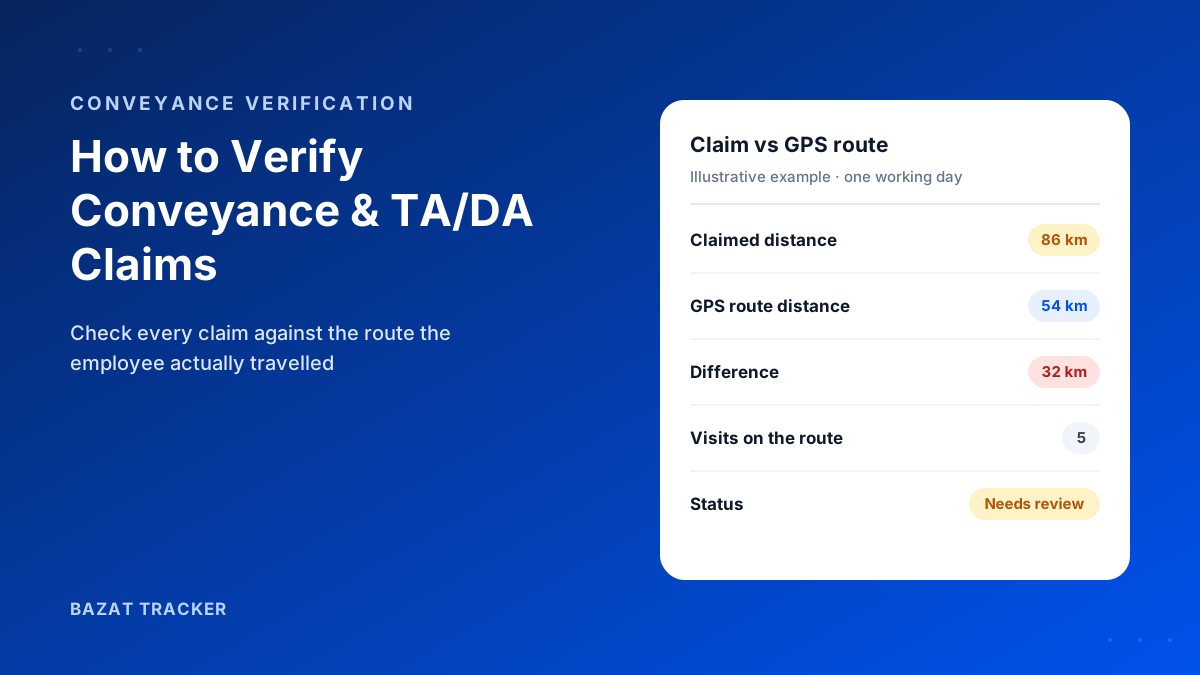
| Conveyance for the day | Manual ProcessSalesman's own figure | Bazat TrackerChecked against distance actually travelled |
| Client dispute | Manual ProcessYour word against the client's | Bazat TrackerTimestamped visit record to share |
Introducing Tracking to a Sales Team
Salespeople are used to independence, and some will resist. The way you introduce tracking matters as much as the app.
What works
- 1Lead with what they gain: verified visits protect them when a client disputes, and conveyance is paid on real distance without arguments.
- 2Track only during working hours, and say so in writing.
- 3Start with a two-week pilot with a few willing salesmen, including a top performer.
- 4Use the data for coaching (route planning, time per visit), not only for catching people.
- 5Retire the daily call report once visits are captured automatically. Less paperwork is an easy win.
Use the Data to Sell More, Not Just to Police
Once visits are verified, the same records become a sales management tool. That's when tracking stops feeling like surveillance to the team.
Questions the data answers
- 1Coverage: which clients and outlets haven't had a visit in weeks?
- 2Time per visit: who spends five minutes per outlet, and who spends forty? Which pattern actually closes orders?
- 3Route planning: are reps crossing the city twice a day when one route would cover the same clients?
- 4Workload: is one territory getting twice the visits of another with the same targets?
- 5Coaching: what do your top performers' days look like, and what can the rest of the team copy?
Bazat Tracker includes live location, route history, visit check-ins with photo, fake-GPS detection, conveyance claims and payroll, from ₹249 per user per month on yearly billing, with a 3-day free trial.