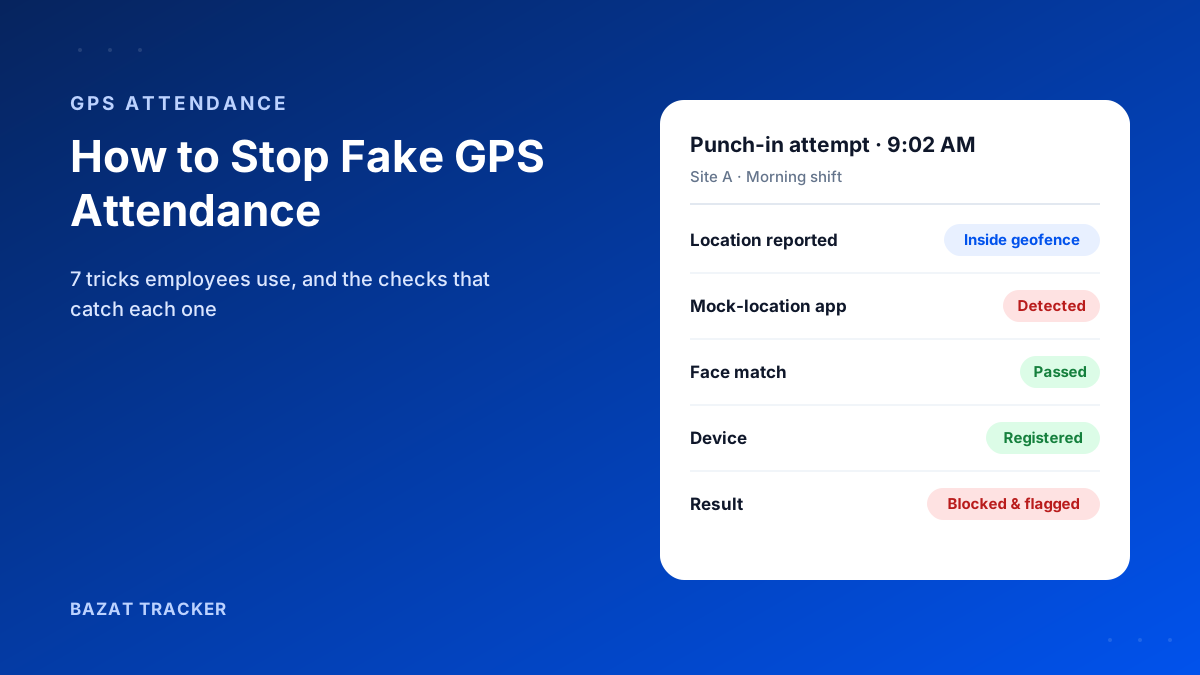
You switched to GPS attendance to end the arguments. For a few weeks, it worked. Then you noticed something odd: one rep's punch-in shows him at the client's office at 9:02 every morning, to the exact same spot, even on the day his car was in the workshop.
To stop fake GPS attendance, layer several checks instead of trusting location alone: detect mock-location apps and rooted or jailbroken phones, tie each punch to the employee's own device and face, keep geofences tight around each site, filter out low-accuracy readings, and keep recording location through the shift so punch-and-leave shows up. Each check closes a different trick.
Here's the uncomfortable truth:
Basic GPS attendance is easy to fool. Free fake-location apps are a quick search away, and a phone can be handed to a colleague in seconds. The fix isn't to give up on GPS. It's to stop treating a single location reading as proof.
The 7 Ways Employees Fake GPS Attendance
Let's start with how it's done.
You can't stop what you don't understand. These are the tricks that come up again and again, from the most common to the most subtle.
1. Fake-location (mock GPS) apps.
Android lets developers set a “mock location” for testing. Fake-GPS apps use that feature to make the phone report any location the user picks, such as the client's office, while they're still at home.
2. Rooted or jailbroken phones.
Rooting (Android) or jailbreaking (iPhone) removes the phone's built-in protections. Spoofing tools on these devices can be harder to spot than a simple mock-location app.
3. Buddy punching with a shared phone.
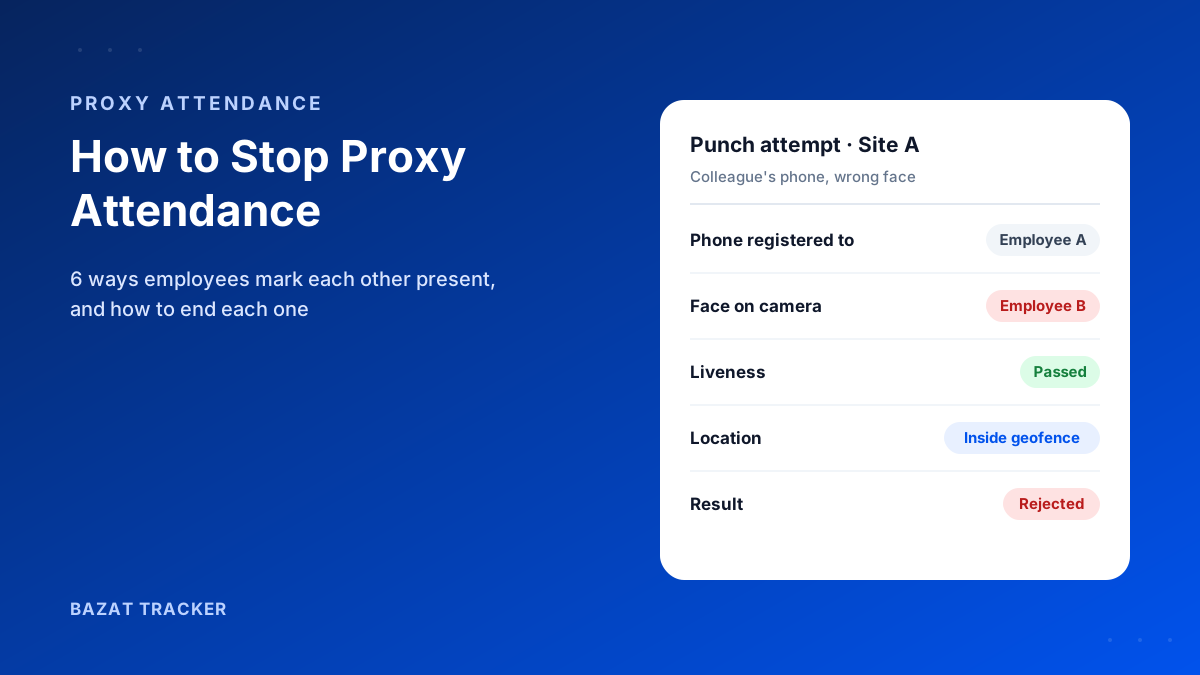
No spoofing needed. One employee carries a colleague's phone, or their login, to the site and punches in for both.
4. Punching in from “close enough”.
If the geofence around a site is too large, someone can punch in from the tea stall down the road, or from their car in the next street, and it still counts.
5. Punch and leave.
The punch-in is genuine. The employee really was on site at 9:00. By 9:20 they've gone somewhere else entirely, and nothing records it.
6. Exploiting weak GPS signals.
Indoors or near tall buildings, GPS readings can jump by hundreds of metres. A single noisy reading can place someone inside a geofence they never entered, by accident or on purpose.
7. Backdated or edited punches.
Where attendance can be entered or edited manually, a “forgot to punch” correction quietly becomes a habit.
How to Catch Each Trick
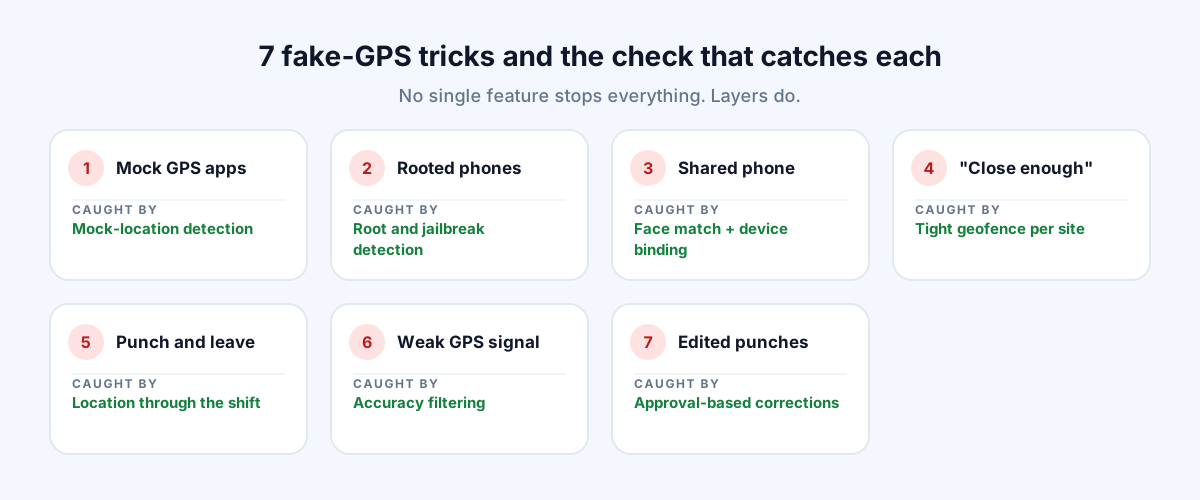
Now for the fix.
No single feature stops everything. What works is layers, where each check covers a gap the others leave.
The checks that close each gap
- 1Mock-location detection: the app checks whether the location is coming from a fake-GPS app or developer-mode setting, and flags or blocks the punch.
- 2Root and jailbreak detection: punches from tampered phones are flagged, so spoofing tools on those devices can't be relied on.
- 3Device binding: each punch is tied to the employee's own registered phone, so one person can't punch for others from their device.
- 4Face verification: every punch is matched to the employee's face, so carrying a colleague's phone doesn't work either.
- 5Liveness check: holding up a printed photo or a screen to the camera is rejected, so the face has to be real and present at punch time.
- 6Tight geofences: each site gets a boundary that matches the real site, not a generous circle that takes in the whole street.
- 7Accuracy filtering: low-confidence readings are ignored and a location only counts once several consistent points confirm it.
- 8Location through the shift: tracking continues during working hours, so time inside the site boundary is recorded and punch-and-leave becomes visible.
- 9Approval-based corrections: missed punches go through a regularization request a manager must approve, with a reason and an audit trail.
Why does layering matter so much?
Because each trick beats a different check. A fake-GPS app beats a plain location check, but not mock-location detection. A shared phone beats device binding if passwords are shared, but not a face match. Punch-and-leave beats everything at punch time, but not location recorded through the shift. Together, they leave very little room.
Basic GPS Attendance vs. Layered Verification
Basic GPS Check-In vs. Bazat Tracker
| Manual Process | Bazat Tracker | |
|---|---|---|
| Fake-GPS apps | Manual ProcessAccepted as a real location | Bazat TrackerMock-location apps detected; punch flagged or blocked |
| Rooted or jailbroken phones | Manual ProcessNot checked | Bazat TrackerDetected and flagged |
| Colleague punching in for someone | Manual ProcessWorks if they have the phone or login | Bazat TrackerBlocked by device binding plus face verification |
| Holding up a photo of the employee | Manual ProcessPasses a basic selfie check | Bazat TrackerRejected by the liveness check |
| Punching in from nearby | Manual ProcessOften accepted with a large radius | Bazat TrackerPer-site geofences sized to the real boundary |
| Punch and leave | Manual ProcessInvisible after the punch | Bazat TrackerTime inside the site recorded through the shift |
| Edited or backdated punches | Manual ProcessManual edits with no trail | Bazat TrackerRegularization requests with manager approval |
Don't Forget the Human Side
Technology is only half the answer.
Most people don't fake attendance for fun. Long travel between sites, unclear shift rules or a regularization process that's harder than faking a punch all push people the wrong way.
Habits that reduce faking
- 1Explain the checks openly. People rarely try to beat a system they know will catch it.
- 2Make corrections easy and fair, so a genuine missed punch never needs faking.
- 3Set realistic shift and travel expectations for staff covering several sites.
- 4Treat the first flag as a conversation, not a punishment. Repeated flags are a pattern worth acting on.
The Bottom Line
Fake GPS attendance happens when a single location reading is treated as proof. Stop it by checking the device, the person and the location together, and by recording location through the shift, not just at the punch.
Bazat Tracker combines mock-location and root detection, device binding, face verification, per-site geofences and in-shift tracking in one field staff tracking app, so faking attendance stops being worth the effort.