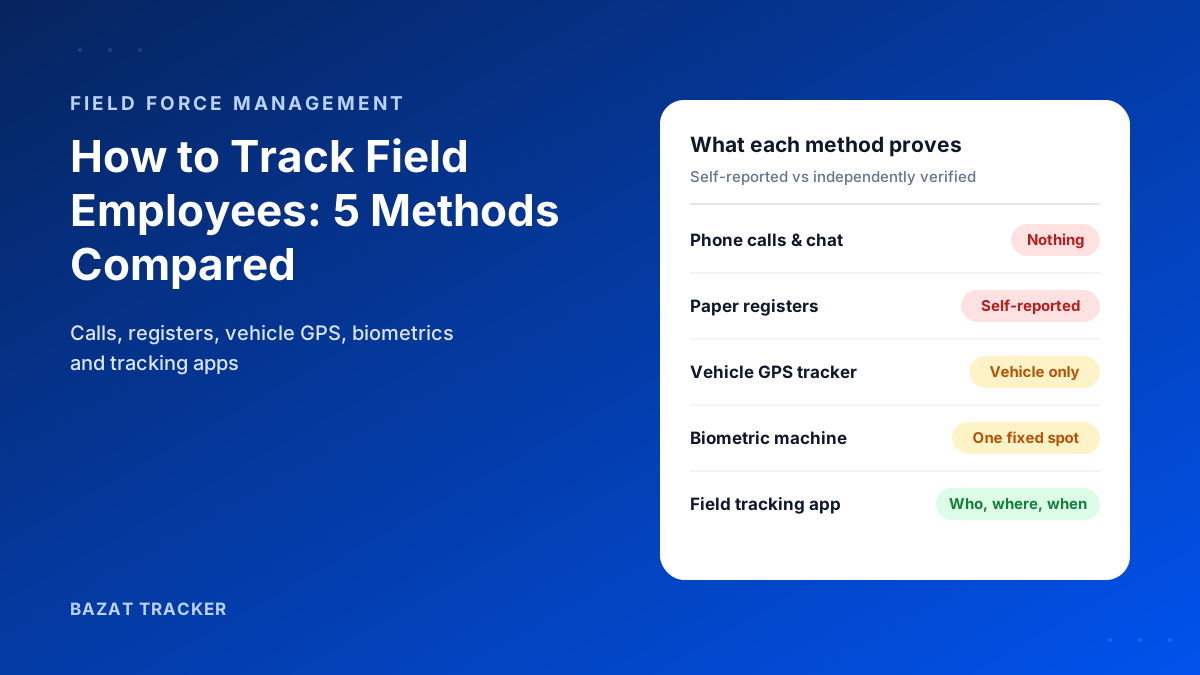
It's 10:15 on a Tuesday. You manage 25 people who never sit at a desk: sales reps visiting clients, technicians on service calls, supervisors moving between sites. A customer calls to ask why nobody has turned up. You open WhatsApp, scroll through a dozen “reached” messages, and start dialling. Twenty minutes later you still don't have a straight answer.
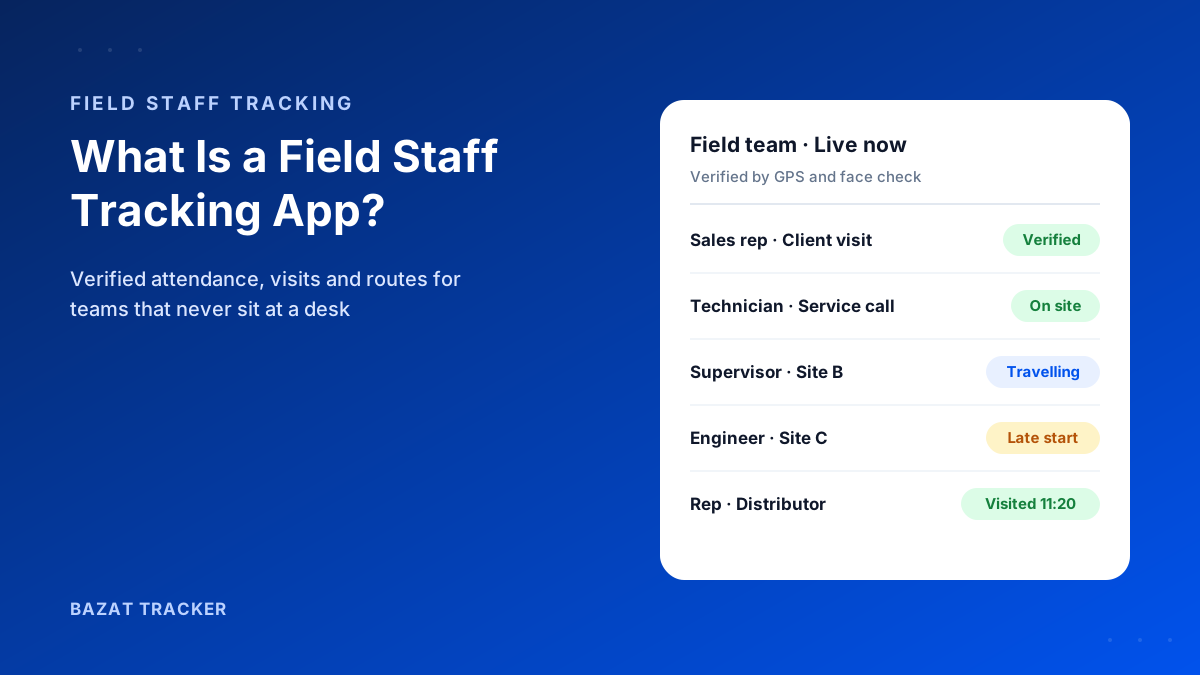
A field staff tracking app is a mobile app that shows managers where their field employees are during working hours, verifies attendance and client or site visits using GPS, and records the routes they travel. Better apps add geofencing, face verification, fake-GPS detection, expense claims and payroll, so the same verified data runs the whole field day.
Sound familiar?
You're not alone. Almost every business with a mobile workforce hits the same wall once the team grows past a handful of people. This guide covers what a field staff tracking app actually is, how it works, what it costs, and how to pick one without regretting it six months later.
What Is a Field Staff Tracking App, Exactly?
At its simplest, it's an app your field employees install on their phones. While they're on shift, the app shares their location with a dashboard that managers can see. That's the tracking part.
But here's the catch:
Location on its own doesn't solve much. Knowing a dot is somewhere on a map doesn't tell you whether someone really started work on time, really visited the client, or really drove the 80 km they're claiming. The useful apps turn raw location into proof: verified attendance, verified visits and verified routes.
That's why “field staff tracking app,” “field employee tracking app” and “field force management app” are often used for the same thing. The good ones go well beyond a map.
Tracking App vs. Field Force Software vs. HRMS
These three categories overlap, and vendors use the labels loosely. Knowing the difference saves you from buying the wrong tool.
What each one is built for
- 1Field staff tracking app: verifies where field employees are, when they worked and which sites or clients they visited. Attendance, location and visit proof are the core.
- 2Field force or field service management software: built around jobs, tickets, orders or beat plans. Tracking is usually there, but as a supporting feature.
- 3HRMS: built around the employee record, leave, payroll and compliance. Most assume staff sit in an office and punch in at one place.
So which one do you need?
If your main problems are “I can't trust attendance,” “I can't prove the visit happened” and “month-end payroll takes days,” you need a field staff tracking app with payroll built in. If your main problem is assigning and closing hundreds of service tickets a day, you need job management software, and possibly a tracking app alongside it. Bazat Tracker sits in the first group: verified attendance, visits and routes, with leave and payroll in the same system.
Who Actually Needs One?
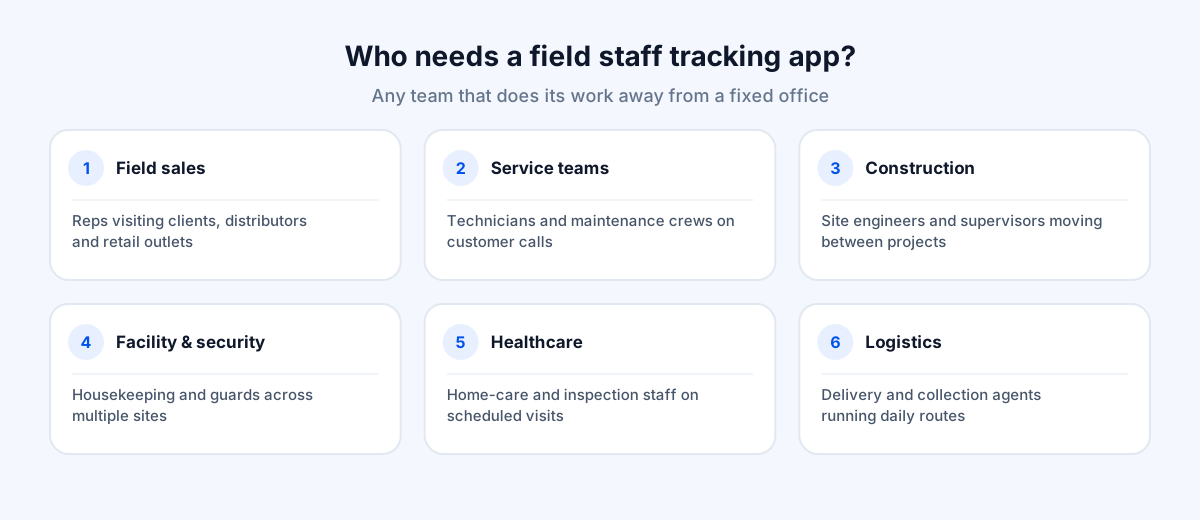
Any business where people do their work away from a fixed office. The most common examples:
Typical field teams
- 1Field sales reps visiting clients, distributors or retail outlets.
- 2Service technicians and maintenance crews on customer calls.
- 3Construction site engineers and supervisors moving between projects.
- 4Facility management, security and housekeeping staff across multiple sites.
- 5Home-care, healthcare and inspection staff making scheduled visits.
- 6Delivery, logistics and collection agents running daily routes.
Here's a quick test.
If you regularly ask “where is everyone?”, argue about whether a visit happened, or spend the end of the month reconciling attendance before payroll, you're already paying the cost of not having one.
The Costs You're Already Paying Without One
Most businesses don't buy a field staff tracking app because they want a map. They buy one because unverified field work is quietly expensive, and the costs are spread across so many small leaks that nobody adds them up.
Where the money goes
- 1Proxy and padded attendance: a colleague punches in for someone who's late, or a register is filled in at the end of the week.
- 2Inflated travel claims: kilometres are rounded up, and nobody has time to check them against a route.
- 3Missed visits: a client or site visit is reported but never happens, and you find out when the customer complains.
- 4Manager time: supervisors spend the first hour of every day calling people to find out where they are.
- 5Payroll effort: someone reconciles registers, messages and spreadsheets for days before salaries can be paid.
Here's what that looks like in numbers.
Take an illustrative team of 30 field staff. If each person pads their travel claim by just 5 km a day at a typical per-km rate, that alone can add up to more per month than a tracking app costs for the whole team. Add a few proxy-attendance days, one lost customer from a missed visit, and two or three days of payroll reconciliation, and the case usually makes itself. Our ROI calculator lets you plug in your own numbers instead of ours.
How Does a Field Staff Tracking App Work?
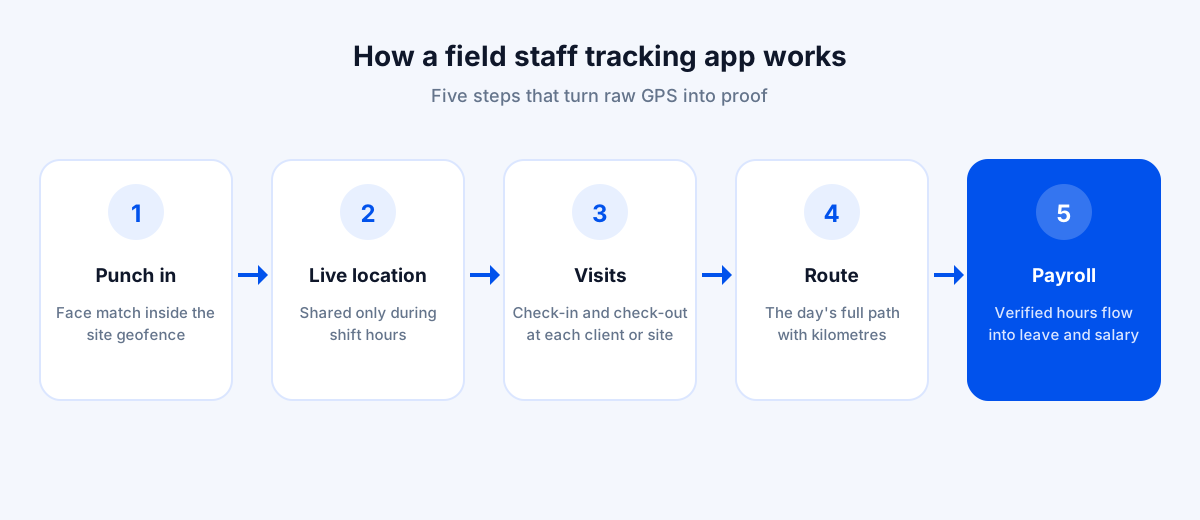
Let's break it down.
The phone's GPS does the heavy lifting. When an employee starts their shift, the app begins recording location at intervals and stops when the shift ends. Everything else is built on that stream of location points.
A typical day, step by step
- 1The employee punches in. The app checks they're inside the geofence (the map boundary) of their assigned site or office, and can confirm their identity with a quick face check.
- 2During the shift, their location appears on the manager's live map, and their route builds up through the day.
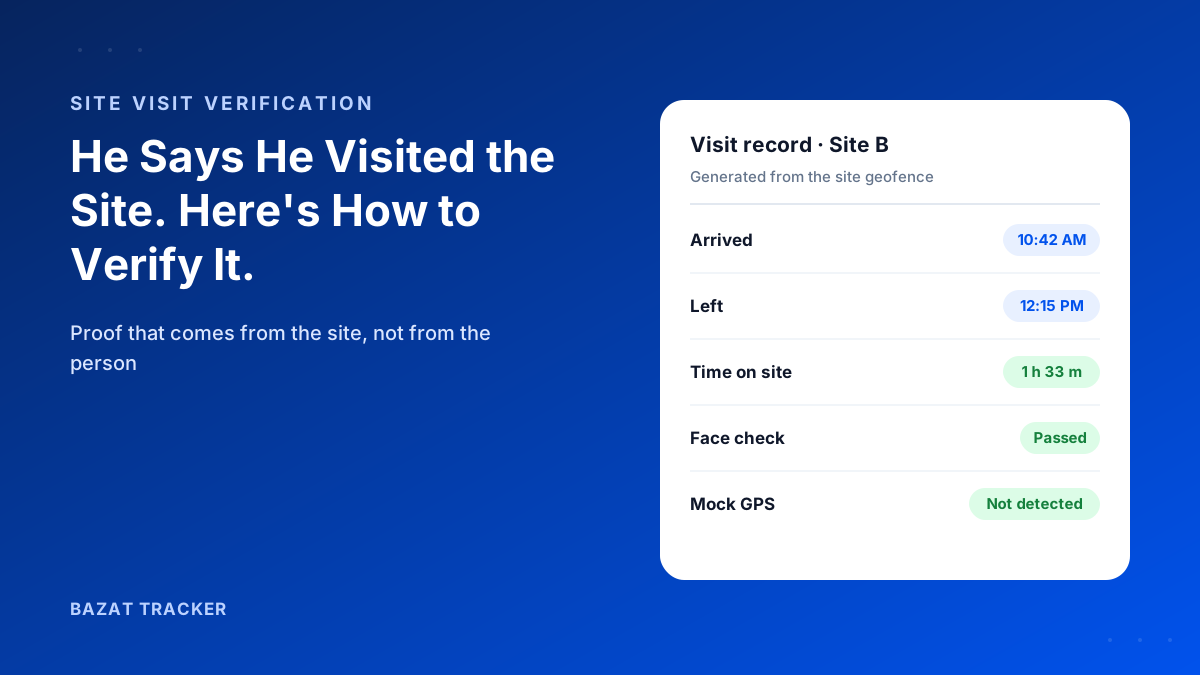
- 3When they arrive at a client or site, the visit is logged with the time, location and, if needed, a photo as proof.
- 4If someone tries a fake-GPS app to cheat, the app detects it and flags the punch or visit.
- 5At punch-out, tracking stops. The day's hours, visits and distance travelled are saved automatically.
- 6At month-end, verified attendance feeds straight into leave and payroll, with nothing to reconcile by hand.
What about weak signal?
Good apps store punches and location points on the phone when there's no network and sync them once the connection returns, so a basement or a rural road doesn't wipe out a day's record.
The Features That Actually Matter
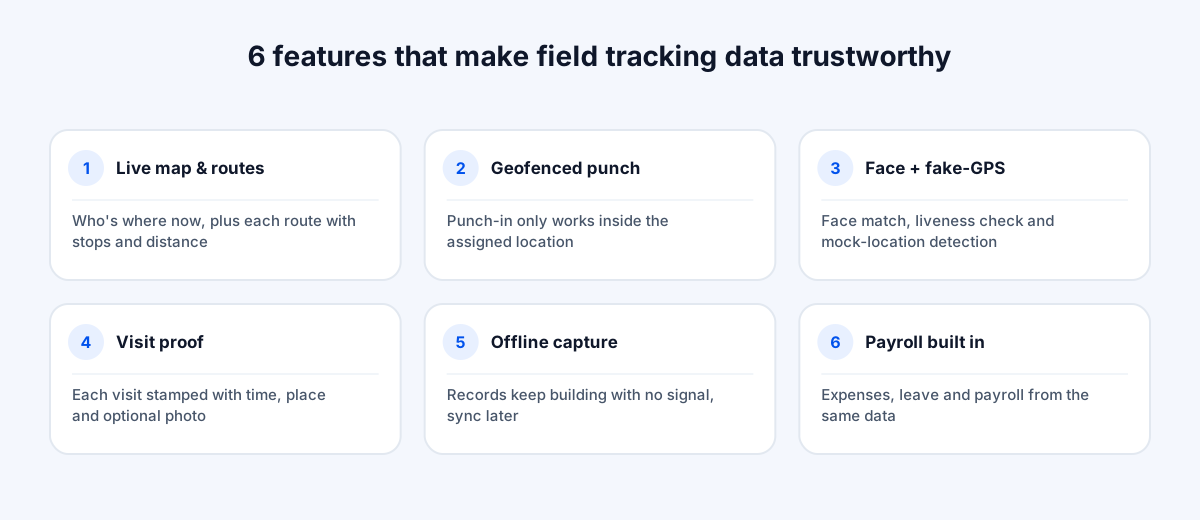
Most apps list dozens of features. In practice, these are the ones that decide whether the data is trustworthy and whether your team actually uses it.
1. Live location and route history.
A live map of who's where right now, plus a replay of each person's route with stops, distance and time spent at each location.
2. Geofenced attendance.
Punch-in only works inside the assigned location. “Nearby” doesn't count. This single feature ends most attendance disputes.
3. Face verification and fake-GPS detection.
Location can be spoofed and phones can be shared. A face match on every punch, a liveness check that rejects a printed photo or a screen, and detection of mock-location apps and rooted devices close those gaps.
4. Visit verification.
Every client or site visit stamped with time, place and optional photo proof, which managers can approve or reject.
5. Offline capture.
Records keep building with no signal and sync later. Without it, your data has holes exactly where field work is hardest.
6. Expenses, leave and payroll.
This is where most apps fall short. If tracking lives in one tool and payroll in another, someone still re-types attendance every month. Apps that include payroll remove that step entirely.
Field Staff Tracking App vs. the Old Way
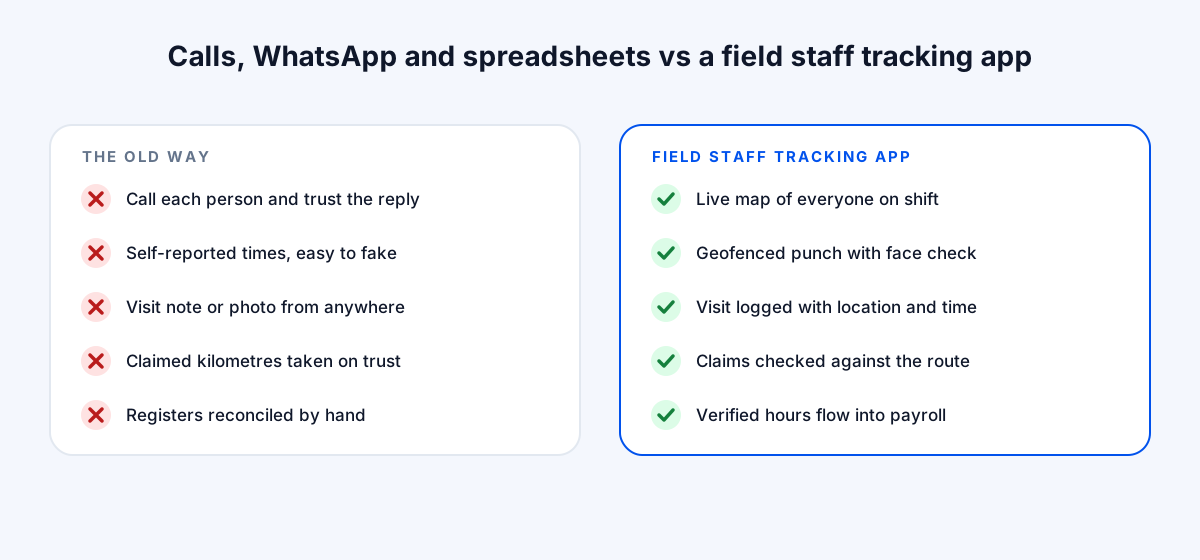
So what actually changes?
Here's how a typical manual setup (phone calls, WhatsApp updates and spreadsheets) compares with a field staff tracking app like Bazat Tracker.
Calls, WhatsApp and Spreadsheets vs. a Field Staff Tracking App
| Manual Process | Bazat Tracker | |
|---|---|---|
| Knowing where staff are | Manual ProcessCall or message each person and trust the reply | Bazat TrackerLive map of everyone on shift, updated automatically |
| Proving attendance | Manual ProcessSelf-reported times, easy to fake or forget | Bazat TrackerGeofenced punch with face check and timestamp |
| Confirming client or site visits | Manual ProcessA typed note or a photo that could be from anywhere | Bazat TrackerVisit logged with location, time and photo proof |
| Checking travel claims | Manual ProcessTake the claimed kilometres on trust | Bazat TrackerCompare the claim against the recorded route |
| Month-end payroll | Manual ProcessReconcile registers and messages by hand | Bazat TrackerVerified hours, leave and overtime flow into payroll |
Is It Legal to Track Field Employees?
Short answer: in most countries, yes, if you do it properly.
Tracking work-time location on a company-provided or consented device, during working hours, for a legitimate business purpose is generally permitted. The rules vary by country. In the EU, for example, GDPR requires a clear lawful basis and transparency with employees. In India, the Digital Personal Data Protection Act, 2023 sets similar expectations around clear notice, a defined purpose and keeping personal data secure. Always check local requirements.
Best practice is the same everywhere: write a short tracking policy, have employees acknowledge it, and track only during shift hours. Bazat Tracker only tracks during assigned shifts, so personal time stays private.
How Much Does a Field Staff Tracking App Cost?
Most apps charge per user per month, and many only quote on request. Expect the total cost to depend on team size, billing term and which modules (payroll, expenses, face attendance) are included or sold as add-ons.
For reference:
Bazat Tracker costs $4 per user per month on yearly billing, $5 on 6-month billing and $6 on 3-month billing. In India it's ₹249, ₹299 and ₹349 per user per month. Tracking, attendance, visits, expenses and reports are included on every plan, and there's a 3-day free trial so you can test it with your own team first.
When you compare prices, compare what's included, not just the headline number. A cheaper tracker plus a separate payroll tool often costs more than one app that does both.
How to Choose the Right App
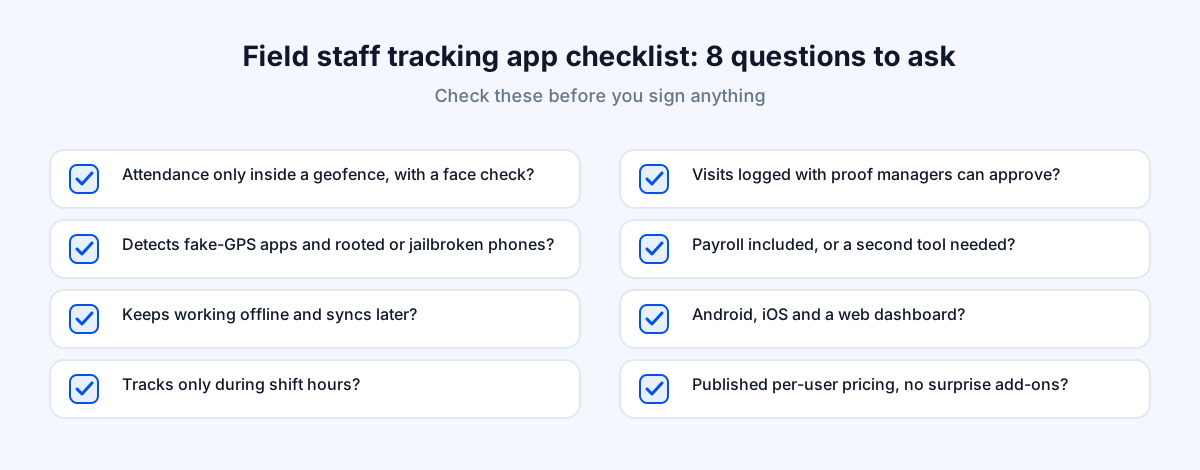
Here's what to check before you sign anything:
Your shortlist checklist
- 1Does attendance only work inside a geofence, and is there a face check?
- 2Does it detect fake-GPS apps and rooted or jailbroken phones?
- 3Does it keep working offline and sync later? Test this yourself in a no-signal spot.
- 4Does it track only during shift hours, to protect employee privacy?
- 5Are visits logged with proof that managers can approve?
- 6Is payroll included, or will you need a second tool?
- 7Does it run on both Android and iOS, with a web dashboard for managers?
- 8Is pricing published and per-user, with no surprise add-ons?
One more tip:
Don't decide from a demo alone. Run a two-week pilot with the team that has the most attendance or visit disputes. If the app holds up there, it will hold up everywhere.
How to Roll It Out Without Upsetting Your Team
The biggest risk isn't the technology. It's people feeling watched. The fix is transparency.
A rollout that builds trust
- 1Explain why: fair attendance, fewer disputes, faster expense approvals, and pay that's always correct.
- 2Share the tracking policy in writing and make clear that tracking stops at punch-out.
- 3Start with one team, fix any setup issues, then expand.
- 4Use the data to resolve disputes in the employee's favour as often as against them. That's what earns trust.
How long does setup take?
For most teams, a day or two. You add your sites, offices and regular clients as locations, draw a geofence around each, set shift timings, add your employees and register each person's face once. The first week is mostly about tuning: widening a geofence that's too tight for a basement site, or correcting a shift that crosses midnight.
Common Mistakes to Avoid
Most failed rollouts fail for the same handful of reasons.
What goes wrong, and the fix
- 1Buying on the demo alone. Demos run in perfect conditions. Pilot with your most difficult team and your worst-signal site.
- 2Tracking around the clock. It erodes trust and creates legal risk. Track only during shift hours.
- 3One giant geofence for everything. A radius that covers the whole street lets people punch in from the tea stall. Size each location separately.
- 4Location without identity. GPS alone can't tell you who is holding the phone. Turn on the face check.
- 5Keeping payroll separate. If attendance still has to be re-typed into another tool, you've only solved half the problem.
- 6Using it only to catch people out. Teams accept tracking when it also protects them, by proving visits and settling claims fairly.
The Bottom Line
Here's the takeaway.
A field staff tracking app replaces phone calls, guesswork and month-end reconciliation with verified records of where your team worked, when, and for how long. The right one combines live tracking, geofenced and face-verified attendance, visit proof and payroll in a single app your team will actually use.
If that's what you're looking for, Bazat Tracker was built to do exactly this, on Android, iOS and the web.