A facilities head at one of your biggest AMC customers emails: "Your technician hasn't done the quarterly AC servicing in two months. We're reviewing the contract." Your service manager checks the job sheets. Both visits are marked done, with a signature that could be anyone's. The technician insists he went. And you have no way to prove it either way.
A service engineer tracking app records each service engineer's or technician's attendance, their route and travel distance during working hours, and a location-verified check-in and check-out at every customer visit. Service managers get a daily work summary showing visits, time at each customer and kilometres travelled, so missed visits, late starts and disputed AMC calls are settled with evidence.
Here's what makes field service different:
In HVAC, electrical maintenance, CCTV installation, elevator servicing and industrial equipment maintenance, your revenue is the visit. AMC contracts, breakdown calls and installation projects are all paid for, and renewed or cancelled, based on whether a technician turned up, how quickly, and how long they stayed.
That means the gap between "the technician says" and "we can prove" is a direct revenue risk. This guide covers how service companies with 50 to 300+ technicians close that gap.
What Service Managers Can't See Today
The usual blind spots
- 1Start time: when the technician actually started work, not when they said they did.
- 2Visit proof: whether they reached the customer's premises, or closed the call from somewhere else.
- 3Time on job: how long a breakdown repair or a PPM visit really took.
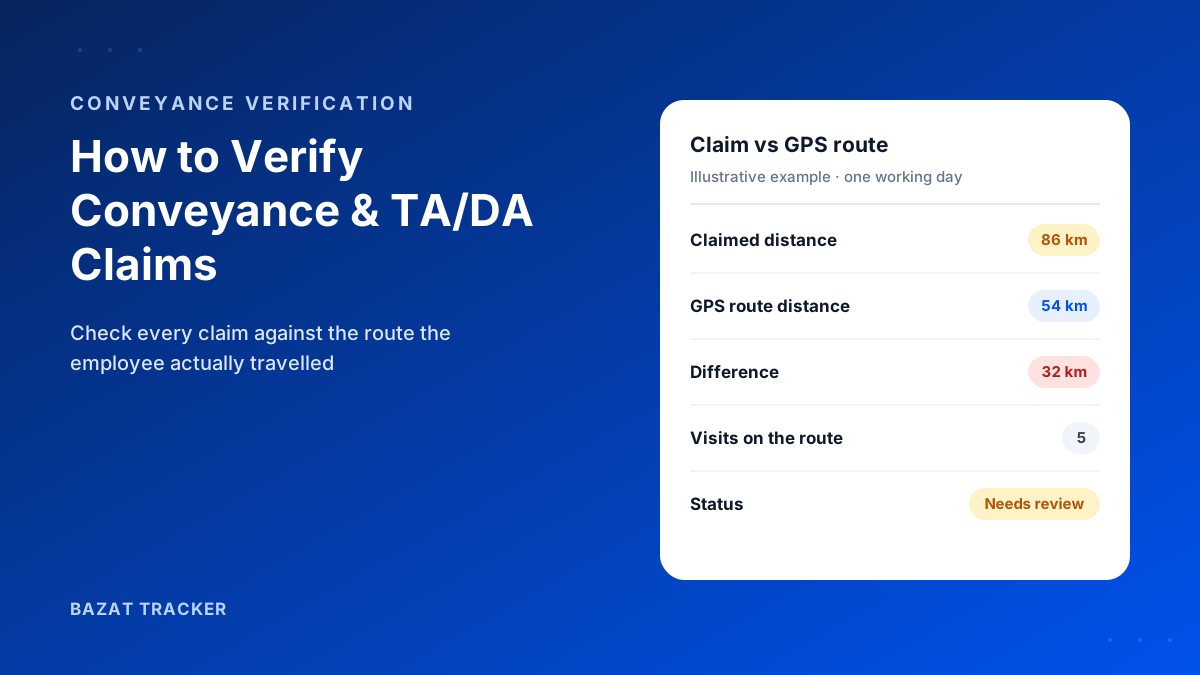
- 4Travel: the real kilometres behind every travel allowance claim.
- 5Idle time: the gaps between jobs that don't match any call.
- 6The day as a whole: a summary of what every technician did, without phoning each one.
And the real cost?
It's rarely one dramatic incident. It's the slow drift: an AMC customer who stops renewing, a travel bill that keeps creeping up, a team that does five visits a day when the routes allow seven. None of it is visible without data.
What a Service Engineer Tracking App Should Track
1. Technician movements.
Live location during working hours lets coordinators see who's where, and send the nearest technician to an urgent elevator breakdown or a dead CCTV system instead of whoever answers the phone first.
2. Customer visits.
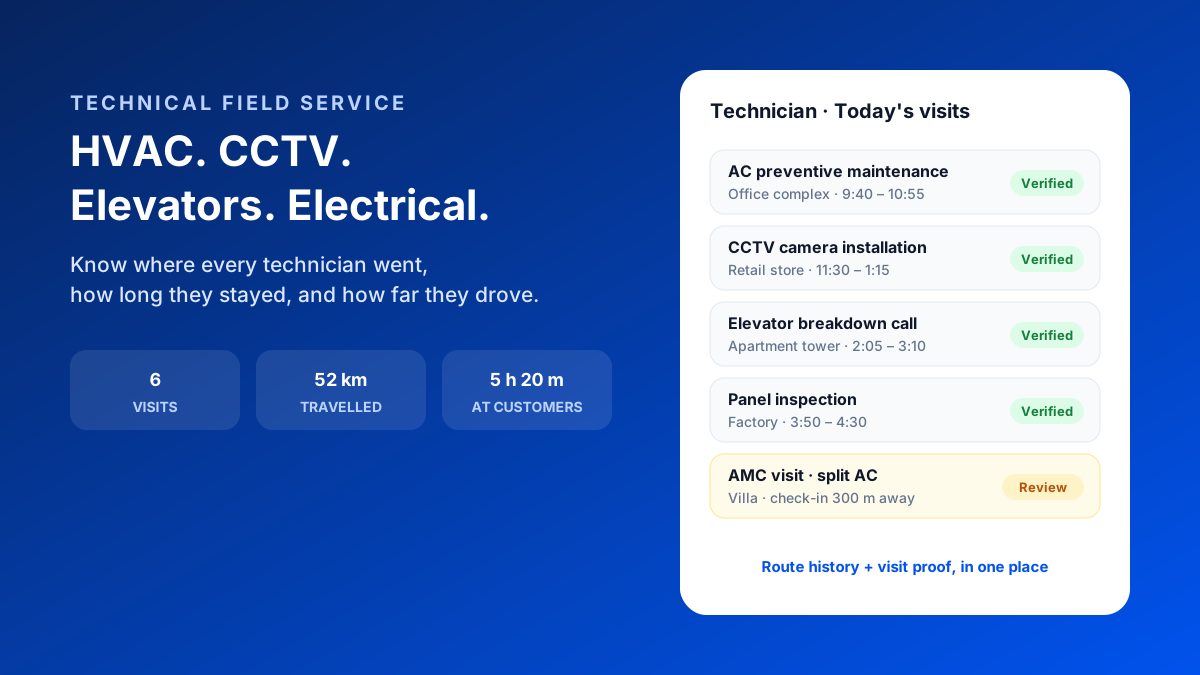
Each customer location gets a geofence. The technician checks in on arrival and out on leaving, so every visit has a verified time and duration. A check-in made 300 m from the customer's site is flagged for review, not silently accepted.
3. Travel history.
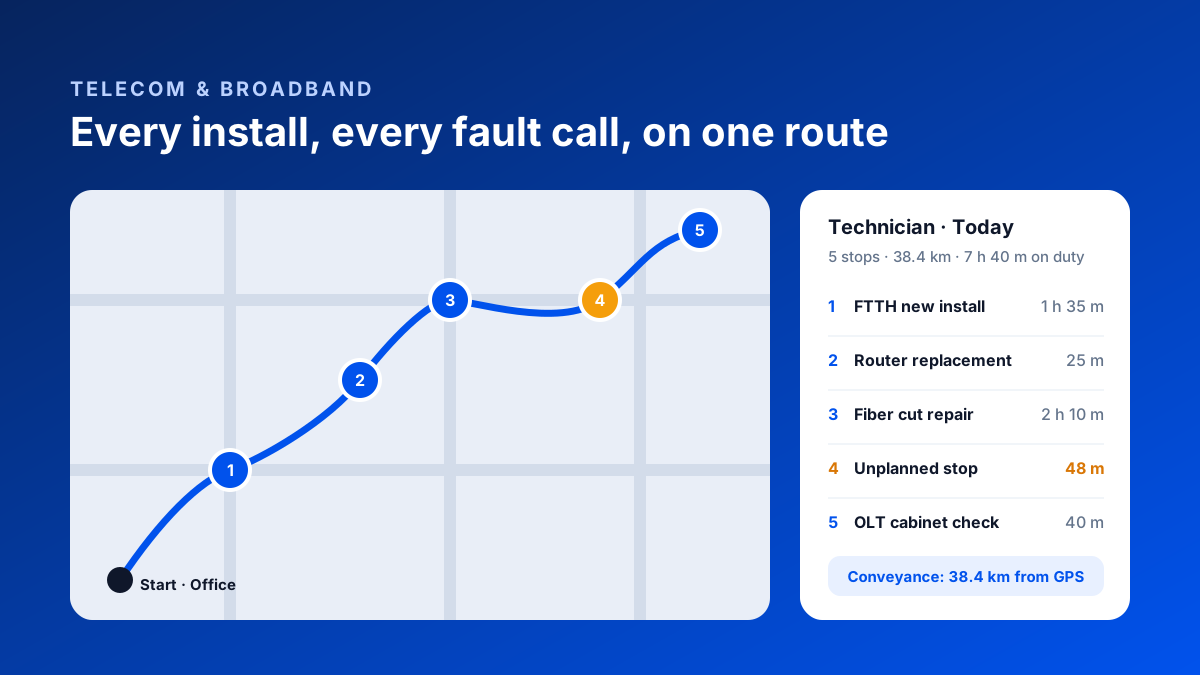
Route history shows the full path for each day, with distance worked out from GPS. Travel allowance is settled on real kilometres, and it's easy to spot technicians who are routinely sent across the city when someone closer was free.
4. Daily work summaries.
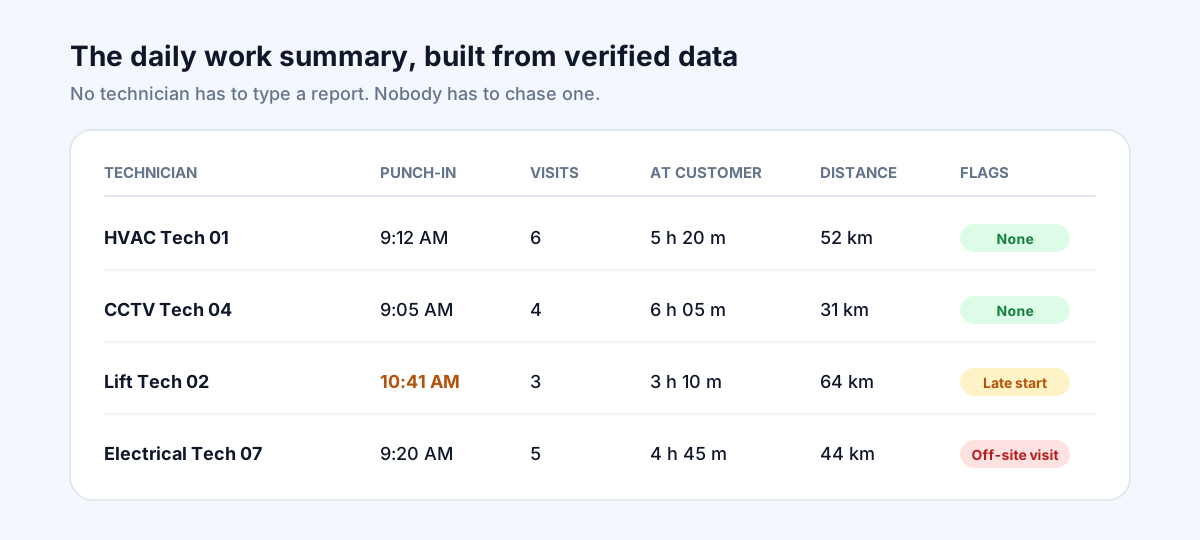
At the end of the day, a summary per technician shows punch-in time, number of visits, time at customers, distance travelled and any exceptions. Nobody has to type a report, and the service manager doesn't have to chase one.
How It Plays Out Across Service Lines
HVAC and AMC teams:
Preventive maintenance visits are where disputes happen. Verified check-ins at each AMC site build a visit history per customer that you can share at renewal time, turning "did you even come?" into "here are all twelve visits this year."
CCTV and security system installers:
Installations often run over several days at one site. Time-on-site per day shows the real effort per project, which helps you quote the next one accurately.
Elevator service companies:
Breakdown response time is everything. Live location shows the nearest technician, and the check-in time proves when they arrived, which is useful when a building association asks why a lift was down for hours.
Electrical and industrial maintenance:
Technicians on long jobs at factories and plants can be spread across many client sites. Geofenced attendance per client site shows who was where, and for how long, for both payroll and client billing.
Job Sheets vs Verified Visits
Running a field service team
| Job sheets & phone calls | Bazat Tracker | |
|---|---|---|
| Start of day | Job sheets & phone calls"Leaving now" on WhatsApp | Bazat TrackerFace-verified GPS punch-in |
| Visit proof | Job sheets & phone callsSigned job sheet, easy to dispute | Bazat TrackerLocation-verified check-in and check-out at the customer |
| Time on job | Job sheets & phone callsWritten by the technician | Bazat TrackerRecorded from arrival and departure |
| Travel allowance | Job sheets & phone callsClaimed kilometres | Bazat TrackerGPS distance from the route history |
| Daily reporting | Job sheets & phone callsChased over calls every evening | Bazat TrackerDaily summary per technician, automatically |
| Customer disputes | Job sheets & phone callsTechnician's word against the customer's | Bazat TrackerVisit history per customer with timestamps |
Getting Started
A simple rollout
- 1Add your AMC and regular customers as locations, each with a geofence.
- 2Start with one service line or one city team for two weeks.
- 3Brief technicians: tracking runs only during working hours, and visit records protect them in disputes.
- 4Use the daily summary in your morning meeting for the first month, so the team sees it's being used fairly.
- 5Settle travel allowance from GPS distance from the first month, so technicians see the benefit straight away.
- 6Expand to every team, and use the visit history in AMC renewal conversations.
Bazat Tracker gives technical field service companies face-verified attendance, live GPS, route history with distance, verified customer visits, daily reports and payroll in one app, from ₹249 per user per month on yearly billing, with a 3-day free trial.
Managing engineers on construction projects rather than customer sites? The workflow centres on project geofences and site assignment instead of customer visits — see site engineer tracking for construction companies.