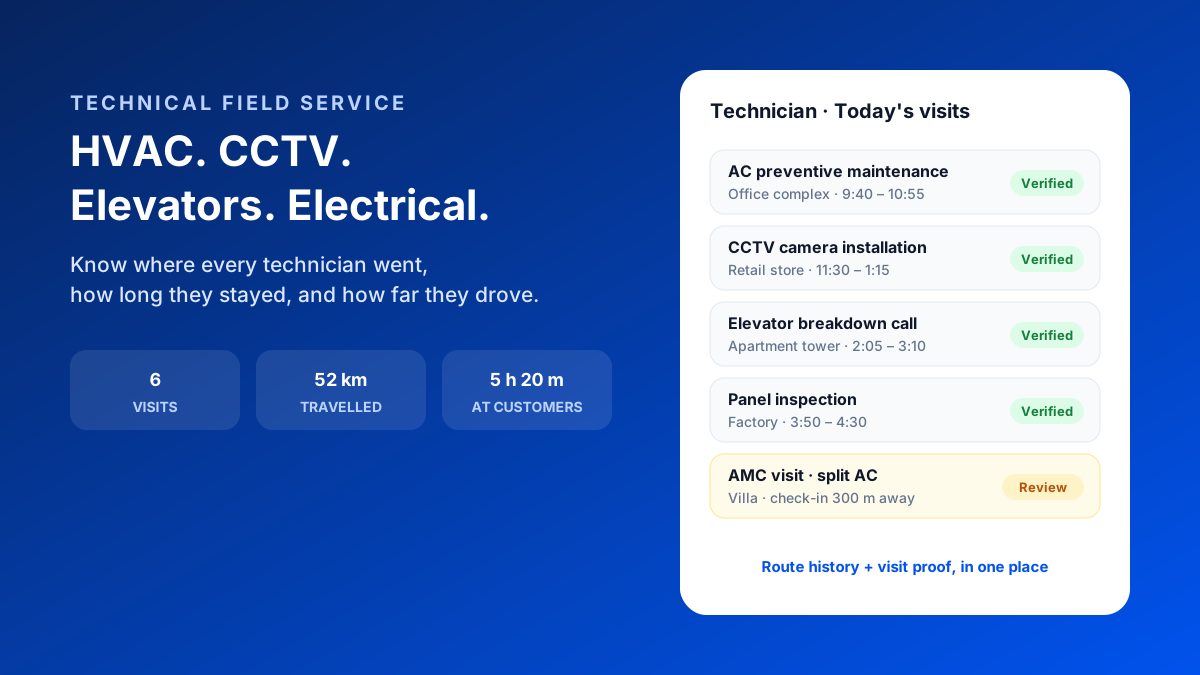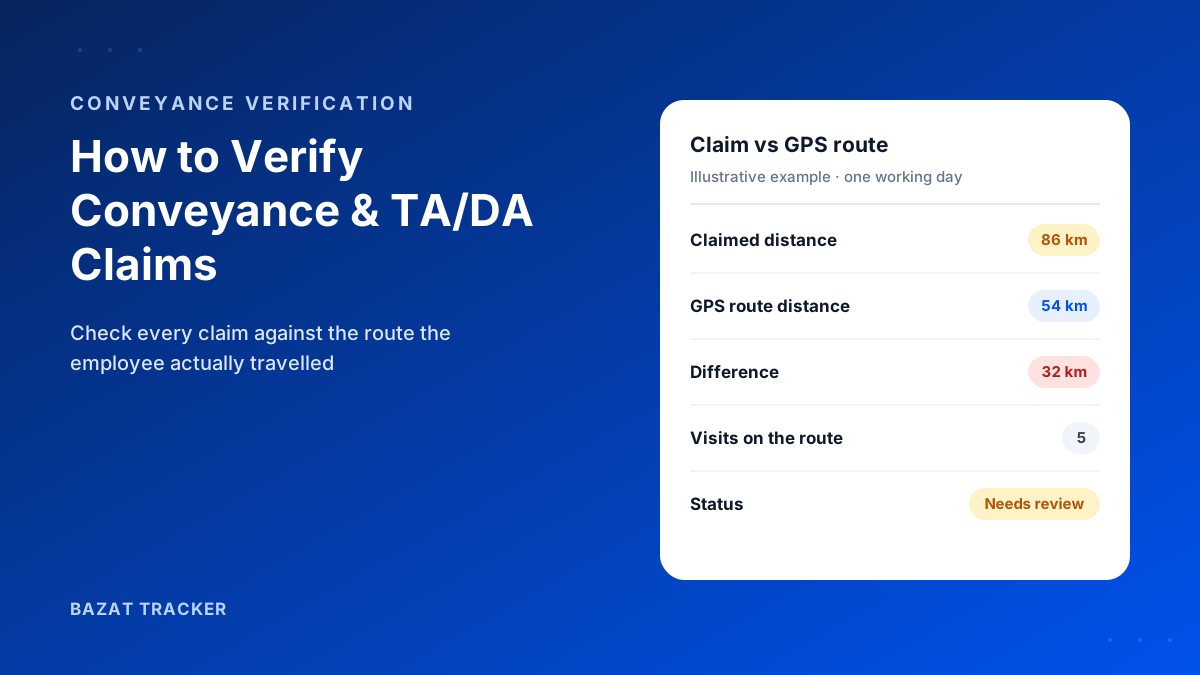
An ISP partner escalates: three FTTH installations booked for yesterday weren't completed, and one customer says nobody turned up at all. Your technician says he was there. The team lead says he called and was told "on the way." The conveyance claim says 62 km. Nobody can say for sure where he actually went.
A field technician tracking app for telecom and broadband contractors records each technician's attendance, live location during duty hours, and full route history with every stop and the time spent there. Managers can see which installation, repair or maintenance sites were actually visited, settle conveyance from GPS distance, and answer ISP or operator escalations with evidence.
Here's why this matters so much in telecom:
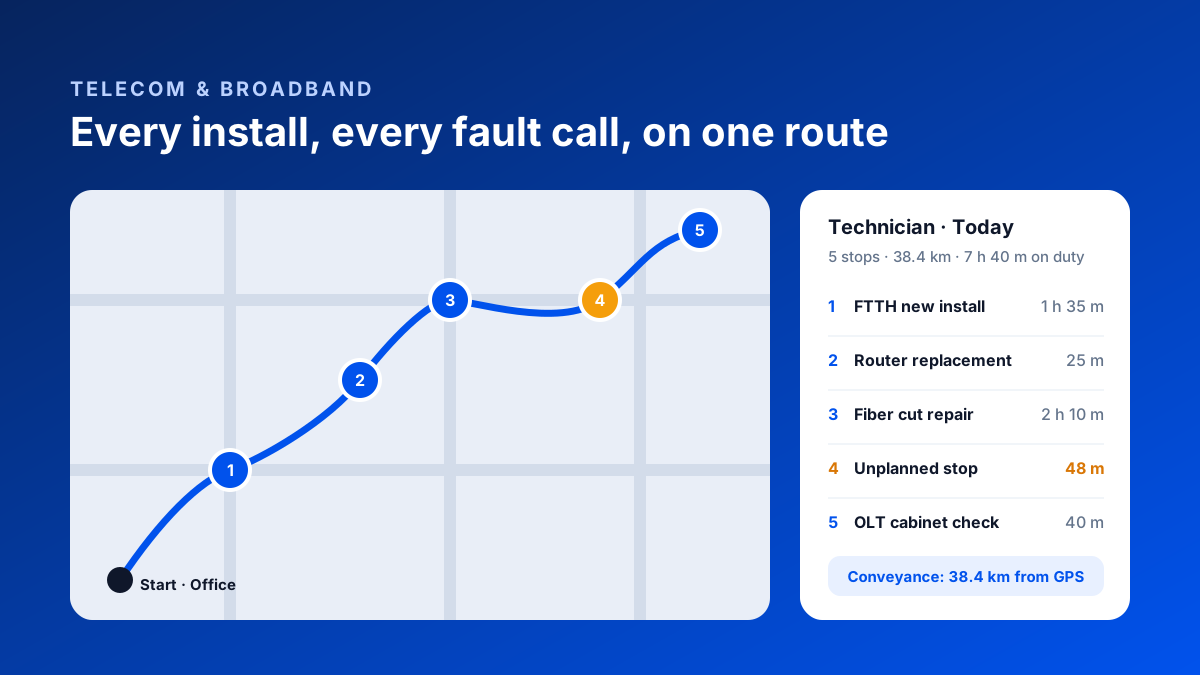
Your technicians aren't at one site. A fiber or broadband technician might do a new installation, a router swap, a fiber cut repair and a cabinet check in one day, all in different parts of the city. Each of those is a job you're paid for, and possibly penalised for under the SLA with your operator or ISP partner.
That makes telecom contracting one of the most movement-heavy businesses there is. It also means the usual way of keeping track (a WhatsApp group full of "reached" messages) costs you more here than almost anywhere else.
The Three Problems Every Telecom Contractor Has
Problem one: you can't see the day.
Once technicians leave the office or warehouse, the day becomes a black box. You know the jobs they were assigned, not the jobs they did, the order they did them in, or the hours between them.
Problem two: conveyance is a guess.
Most technicians ride their own bikes and claim fuel or per-km allowance. With dozens of technicians making multiple stops each day, conveyance quietly becomes one of your biggest variable costs, and it's entirely self-reported.
Problem three: escalations turn into your word against theirs.
When an operator or ISP partner says a job wasn't done or a technician didn't turn up, you need more than a technician's word. Without a record, you either absorb the penalty or damage the relationship arguing about it.
What a Field Technician Tracking App Should Include
Core capabilities
- 1GPS attendance: technicians punch in at the office, warehouse or first job, with a face check so nobody punches in for a colleague.
- 2Live location during duty hours, so dispatchers can see who is closest to an urgent fault.
- 3Route history: the full path for each day, with every stop, the time spent there and the total distance.
- 4Visit check-ins at installation and repair sites, so each job has location-verified proof with a time.
- 5Distance-based conveyance worked out from the actual GPS route, not the claimed figure.
- 6Fake-GPS detection, so mock-location apps can't fake a route.
- 7Battery-friendly tracking that runs only during shift hours, not round the clock.
- 8Offline capture for basements, rooftops, towers and rural stretches with patchy network.
Notice what's missing from that list?
Vehicle GPS trackers. Most telecom technicians use their own two-wheelers, and a tracker on a bike tells you where the bike was, not where the technician was or whether they went inside the customer's building. A phone-based app tracks the person and the visit, and costs nothing in hardware.
A Day in the Life, With Route History
Here's an illustrative day for one fiber technician, as it appears in the route history:
The technician's day, verified
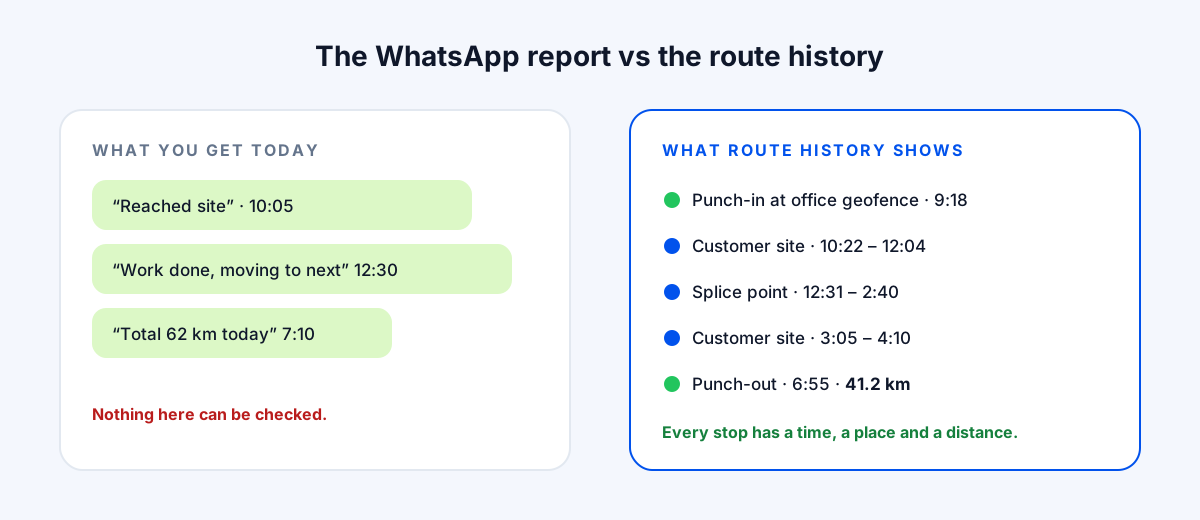
- 19:18 AM: punches in with a face check at the warehouse geofence and collects material.
- 210:22 AM to 12:04 PM: FTTH new installation at a customer's flat, checked in and out at the site.
- 312:31 PM to 2:40 PM: fiber cut repair at a splice point, with the time spent there on record.
- 43:05 PM to 4:10 PM: router replacement at a second customer.
- 54:25 PM to 5:13 PM: an unplanned 48-minute stop that matches no job, flagged for the team lead to ask about.
- 66:55 PM: punches out, with 41.2 km travelled according to GPS.
Now compare that with the WhatsApp version.
"Reached site." "Work done." "62 km today." The route history doesn't just catch the extra 20 km. It gives the team lead a fair, specific conversation about the unplanned stop instead of a vague suspicion. And when the ISP escalates, you can show exactly when the technician arrived and how long they stayed.
Manual Tracking vs Route History
Running a telecom field team
| Calls & WhatsApp updates | Bazat Tracker | |
|---|---|---|
| Attendance | Calls & WhatsApp updates"Reached" message, no proof | Bazat TrackerFace-verified GPS punch-in |
| Job visits | Calls & WhatsApp updatesSelf-reported, unverifiable | Bazat TrackerLocation-verified check-in and check-out per site |
| Time per job | Calls & WhatsApp updatesUnknown | Bazat TrackerTime spent at every stop in the route history |
| Conveyance | Calls & WhatsApp updatesClaimed kilometres | Bazat TrackerGPS distance from the actual route |
| Dispatching urgent faults | Calls & WhatsApp updatesCall around to find who's nearby | Bazat TrackerLive map of on-duty technicians |
| Operator escalations | Calls & WhatsApp updatesYour word against the customer's | Bazat TrackerTimestamped visit and route evidence |
Getting Technicians on Board
Technicians often resist tracking at first. Here's what changes their minds.
What works
- 1Be clear that tracking runs only during duty hours. Off-duty, nothing is recorded.
- 2Show them that GPS-based conveyance gets paid without arguments or cuts.
- 3Use route history to defend them in escalations. Technicians quickly value proof that they were there.
- 4Start with one team or one cluster, fix any issues, then expand.
- 5Use the data to balance workload, not just to catch people out.
Bazat Tracker gives telecom and broadband contractors face-verified attendance, live GPS, route history with distance, visit check-ins and payroll in one app, from ₹249 per user per month on yearly billing.