2:30 AM. A client's warehouse manager drives past their own site on the way back from a late flight. The gate cabin is empty. In the morning, you get the call: who was on duty, where were they, and why is the client paying for a guard who wasn't there? You open the register. It says the guard signed in at 8 PM and out at 8 AM, in the same handwriting as the three guards before him.
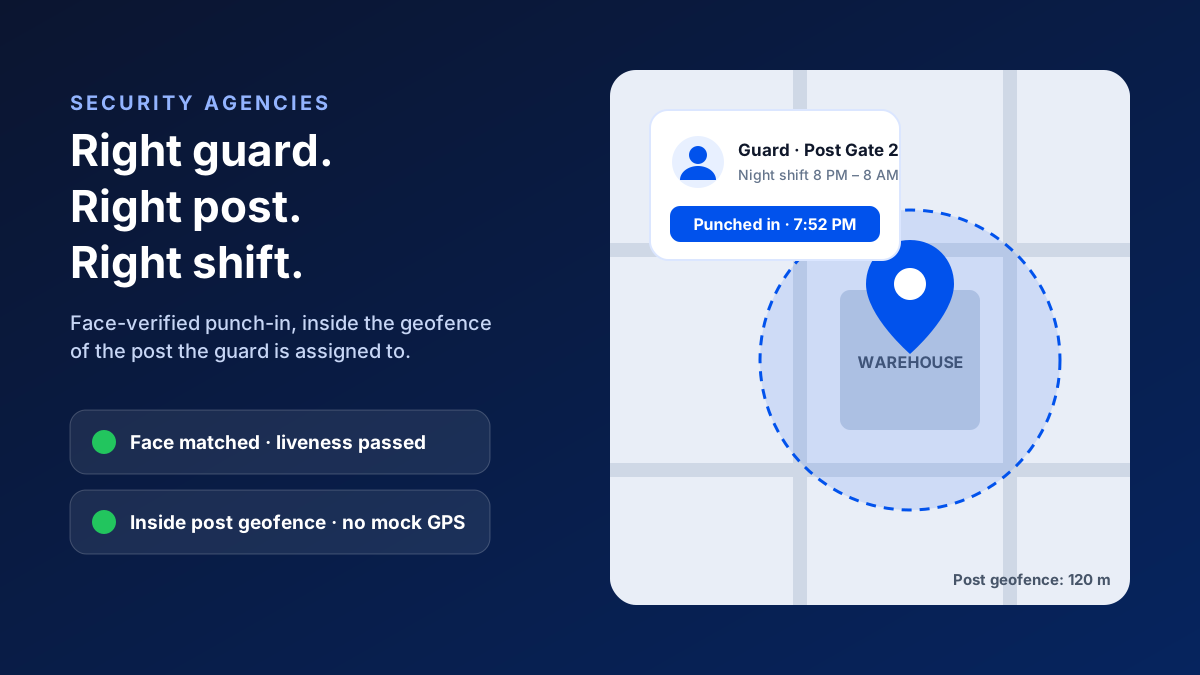
A security guard attendance app verifies three things on every shift: the right guard (a face match with liveness), at the right post (a GPS geofence around the assigned site) and for the right time (punches matched to the shift, with location checks during it). Supervisors and clients get a deployment record they can trust, instead of a register anyone can fill in.
Here's the uncomfortable truth:
For a security agency, the guard's presence is the product. Your client isn't paying for a uniform or a register. They're paying for a specific number of verified guard-hours at specific posts. If you can't prove those hours, you're exposed every time something goes wrong.
This guide is for security agency owners and operations heads running anywhere from 50 to 1,000+ guards. It covers where traditional attendance fails, what to look for in an app, and how to roll it out across posts without disrupting a single shift.
Why Guard Attendance Breaks Down
Security has every attendance problem facility management has, plus a few that are unique to guarding.
Where the usual systems fail
- 1Proxy guards: an unregistered substitute covers a shift, and the registered guard's name goes in the register.
- 2Double duty: a guard signs in at one post and then works a second shift elsewhere, exhausted at both.
- 3Left post mid-shift: the guard punches in, goes home or sleeps elsewhere, and comes back to punch out.
- 4Night shifts: the hours with the highest risk get the least supervision.
- 5Remote posts: construction sites, warehouses, ATMs and plants far from any supervisor.
- 6Relievers and churn: who is posted where changes constantly, and the records fall behind.
So why don't biometric machines fix this?
Because a biometric device at a gate has three weaknesses. Many client sites won't let you install one. It only proves someone was present at the start and end of the shift, not in between. And when it breaks or loses power, you're back to the register for weeks.
Right Guard, Right Post, Right Shift
A good security guard attendance system is built around three questions.
1. Is this the right guard?
Every punch should capture a live selfie and match it against the guard's registered face, with a liveness check so a photo held up to the camera doesn't pass. This one control removes the proxy guard problem almost entirely.
2. Are they at the right post?
Each post (a gate, a building, a warehouse, an ATM site) gets its own geofence. Each guard is assigned to their post, so a punch is only accepted inside that boundary. Fake-GPS detection stops mock-location apps from placing the phone there from somewhere else.
3. Did they stay for the shift?
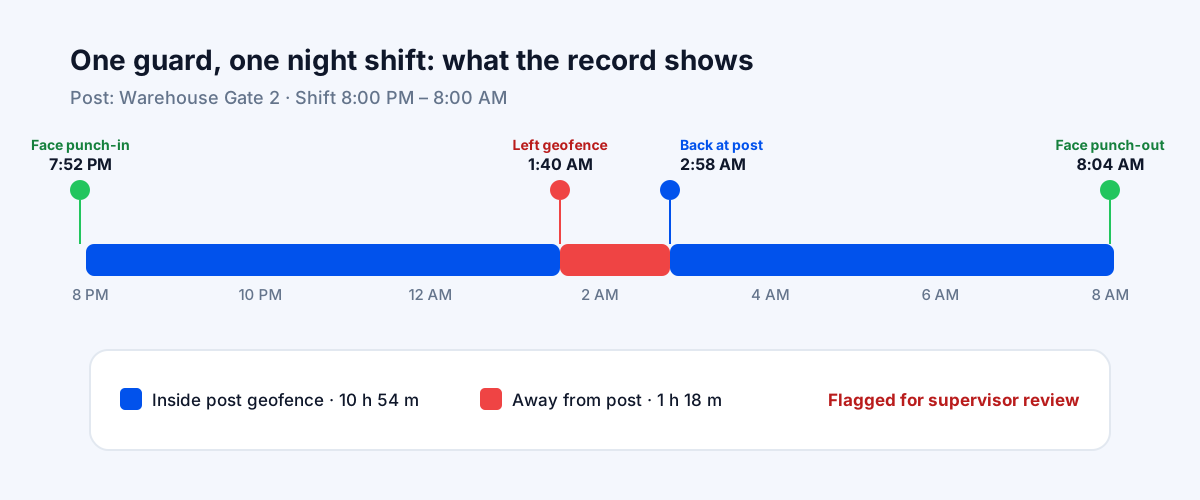
This is where most systems stop and where the real risk is. With location tracking on during shift hours, the record shows whether the guard stayed inside the post geofence, and flags any time spent away for the supervisor to review.
Why QR Patrol Checkpoints Alone Aren't Enough
Many guard patrolling systems are built around QR codes or NFC tags stuck at checkpoints. The guard scans each tag on their round, and the report shows the checkpoint was visited.
Here's the gap:
A scan proves that someone's phone read a code at that time. It doesn't prove who was holding the phone, and it says nothing about the hours between rounds. Tags can be photographed and scanned from elsewhere, and a reliever who isn't registered can do the round on the regular guard's phone.
That's why attendance should come first. Verify the guard's face at punch-in, inside the geofence of their post, and keep location running during duty hours. Patrol checks then sit on top of a shift you already know is genuine, instead of standing in for it.
What This Looks Like Across 40 Posts
Picture an agency with 300 guards across 40 client posts, running day and night shifts.
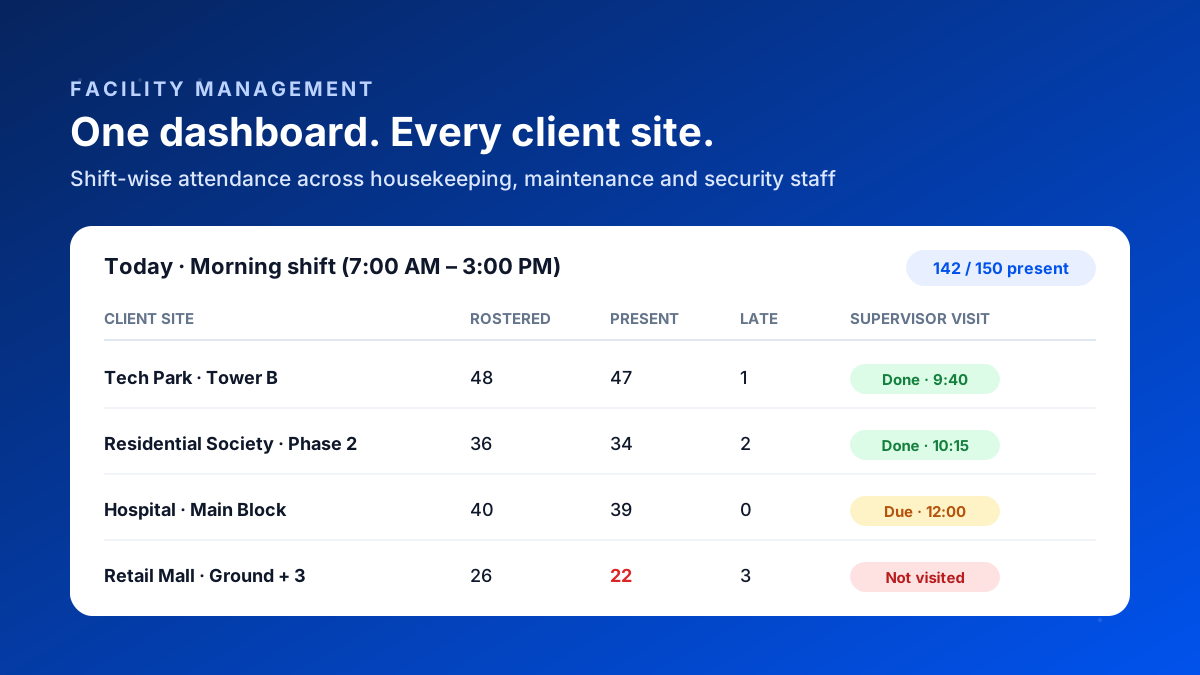
At shift change, the dashboard answers the first question.
Within minutes of 8 PM, the operations room can see which posts have a verified guard and which don't. An unmanned post becomes a phone call to a reliever at 8:10 PM, not a complaint from the client the next morning.
During the night, exceptions surface on their own.
If a guard leaves the post geofence for an extended period, it shows up for the night supervisor. The supervisor doesn't have to drive to every post. They can go to the ones that need attention.
Supervisor patrols become provable too.
Field supervisors check in at each post they visit, so their night rounds are logged with time and location. If a client asks whether their site was checked, you have the answer.
At month end, the record does the arguing for you.
Client-wise deployment reports show the verified guard-hours per post. Invoices are backed by data, and payroll (wages, overtime, PF/ESI) runs from the same verified attendance.
How Setup Differs by Type of Post
Not every post is a single gate. The way you draw geofences and set shifts should follow the kind of site you're guarding.
Post types and what to watch
- 1Warehouses and factories: large, gated campuses. Use a geofence per gate or building for multi-post sites, so a guard who drifts to the wrong gate shows up.
- 2Housing societies: several gates and towers, often with day and night teams. Keep separate posts per gate, and register relievers, who change often here.
- 3Corporate offices and tech parks: guards inside large buildings where GPS drifts. Size the geofence to the building footprint and rely on offline capture for basements.
- 4Construction sites and remote locations: few people around at night and patchy network. Offline capture and a face check at punch-in matter most.
- 5Event and temporary deployments: short-term posts that start and end on fixed dates. Create the post, assign guards, then close it so no punches are accepted afterwards.
Registers vs a Guard Attendance App
Verifying guard deployment
| Register or biometric at gate | Bazat Tracker | |
|---|---|---|
| Identity | Register or biometric at gateSignature, easy for a substitute to copy | Bazat TrackerFace match with liveness on every punch |
| Location | Register or biometric at gateAssumed from the register at the post | Bazat TrackerGPS geofence per post, fake-GPS blocked |
| During the shift | Register or biometric at gateUnknown until something goes wrong | Bazat TrackerTime away from the post flagged for review |
| Unmanned posts | Register or biometric at gateFound by the client | Bazat TrackerVisible at shift start on the dashboard |
| Supervisor rounds | Register or biometric at gateSigned in a visit book | Bazat TrackerGPS-logged visits with time on site |
| Client proof | Register or biometric at gatePhotocopies of registers | Bazat TrackerClient-wise deployment reports and exports |
The Business Case for a Security Agency
For an agency, verified attendance isn't an HR upgrade. It changes three numbers that decide your margins.
1. Billing disputes.
Clients deduct for posts they believe were unmanned. With guard-hours verified per post, you can show the record instead of negotiating a discount.
2. Contract renewals.
Facilities and procurement teams increasingly expect live, site-wise deployment data from their vendors. An agency that can provide it competes on proof, not just price.
3. Supervisor cost.
When the dashboard shows which posts are covered, night supervisors stop driving to every site just to check. Their rounds go to the posts that need attention.
Guard Payroll: Long Shifts, Double Duty and Overtime
Guard payroll is harder than most. Twelve-hour shifts, overnight duty that crosses midnight, guards who cover a second shift when a reliever doesn't turn up, and frequent post changes all make the monthly calculation error-prone.
When attendance comes from verified punches, each shift's hours are already calculated, overnight shifts count as one shift instead of two half-days, and extra hours are worked out against your overtime rules. The same record then feeds wages, PF/ESI and payslips. It also shows you where one guard is working too many consecutive shifts, which is a safety risk as much as a cost.
How to Choose a Security Guard Attendance App
Questions to ask any vendor
- 1Does every punch include a face match with liveness, not just a selfie photo that someone reviews later?
- 2Can I create a separate geofence for every post and assign guards to specific posts?
- 3Does it detect mock-location apps and rooted devices?
- 4Can it handle 12-hour and overnight shifts that cross midnight?
- 5Does it work offline at remote posts, and sync later?
- 6Can I export client-wise deployment reports?
- 7Is payroll included, or will I still re-enter attendance into another system?
- 8Is the per-guard cost viable at my margins?
That last question matters more in security than anywhere else.
Guarding margins are thin, so per-user pricing has to make sense at 500 or 1,000 guards. Bazat Tracker starts at ₹249 per user per month on yearly billing, with face attendance, geofencing, fake-GPS detection, shift rules, reports and payroll included.
Rolling It Out Without Disrupting Shifts
A practical rollout
- 1Pick five to ten posts with a mix of day and night shifts and run a two-week pilot.
- 2Create a geofence for each post. Test-punch from the gate cabin and the farthest patrol point.
- 3Register every guard's face at the start of a shift briefing.
- 4Set shift timings and grace periods per post, including overnight shifts.
- 5Brief guards honestly: tracking runs only during duty hours, and accurate records protect them in disputes too.
- 6Review exceptions every morning for the first two weeks, then expand post by post.
And avoid the mistakes that sink most rollouts:
Common mistakes
- 1Skipping face registration for relievers. Unregistered cover guards are exactly where proxy duty happens.
- 2Using one large geofence for a big campus. Draw boundaries around each post or building, so a guard at the wrong gate is visible.
- 3Treating every alert as misconduct. Some time away from a post is genuine, like a round or a washroom break. Review patterns, not single events.
- 4Keeping the paper register as a fallback. If the register still counts, guards and supervisors will keep using it.